§ the shop · one released, twelve not
instruments for reading a stretch of time while it passes.
Everything here is a piece of a chronoscape. One of them exists and is free on Mac today. The rest are drawings and notes. Nothing on this site takes a payment, a pre-order or an email address, and the free ways of doing the same job are listed first, because they work.
§ 01 · first
nobody needs to buy anything here
seven things that cost nothing
Nobody needs to buy anything on this page to change their relationship to time. The argument in the museum is about attention and about how a duration is displayed, and both of those can be handled with objects already in the room. What follows is the shortest useful version, and every one of them is a chronoscape cue.
-
Sunlight on a wall.
Mark where the edge of the light falls when you sit down. Look again when you next stand up. The wall holds a record of the interval and asks nothing of you while it runs.
-
A candle.
It shows a length rather than a time of day, and it shows it from across the room. Scratch marks into the wax if you want divisions. Draughts and weather make a flame an unreliable instrument, which is documented at some length80 and does not matter for a working afternoon.
-
Something whose length you already know.
A side of a record, a wash cycle, a kettle, the walk to the shop. Any of these is a unit you have already calibrated by using it. Two of them end the interval more usefully than a number does.
-
Say the length out loud before you start.
Then add to it. Estimates of one's own tasks run short in a known direction, and knowing the direction is enough to correct for it82.
-
Name the slack in your calendar.
Give the gaps a name and a length so they read as objects rather than as free space. About a minute a day. The reasoning is in the alternative.
-
Any timer that shows a shape instead of digits.
A bar, a ring, a row of tiles, a tone that widens. Attending to a clock is itself one of the things that stretches an interval4142, so a display that can be read without being consulted is the whole requirement. The software below is one way of meeting it and not the only one.
-
Ask the institution to move before you rearrange yourself.
The change to a population's timing that has a review behind it was made by schools shifting their start, rather than by pupils trying harder86. Where a start time is negotiable, negotiating it will do more than any object on this page.
If one of the things below suits you better than a candle, buy it when it exists. The argument on this site does not depend on your doing so, and none of it is withheld from anyone who does not.
§ 02 · released
the timer, for Mac and iPhone
free on mac today
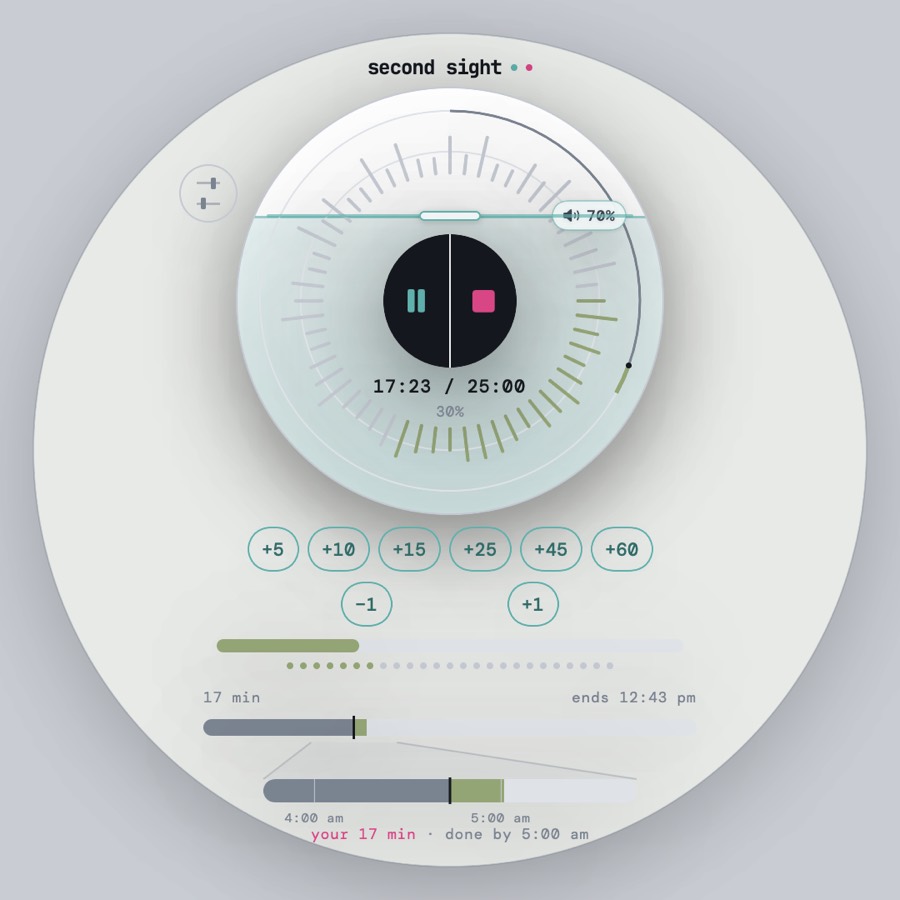
A stretch of time drawn in light and sound while it passes, so you can stop checking the clock and still know where you are. Built for time blindness, useful for anyone. The reasoning is in room 06 and on the alternative.
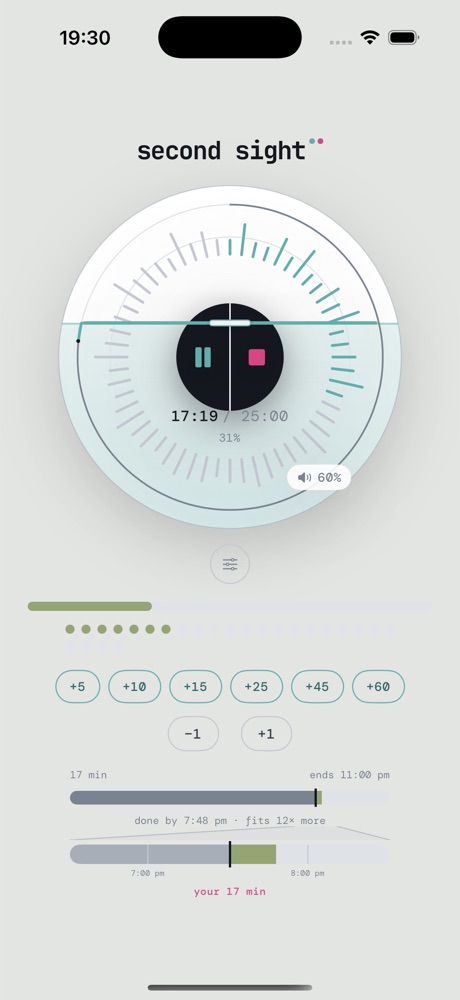
Nineteen ways to show a duration, one switch each. Keep the two or three that work on you and turn the other sixteen off. Nine of them are audible, so it works with the screen ignored, dark, or no use to you at all. Controls are labelled for VoiceOver on both platforms.
- Mac, directfree, available now
- iPhonein app store review
- Mac, App Storeto follow
- Sourcereadable, polyform noncommercial
The Mac download is unsigned, so right-click the app and choose Open the first time, past the macOS warning. A notarised build is coming. The paid apps arrive on the App Store, where Apple is merchant of record; one purchase covers both platforms and there is no subscription.
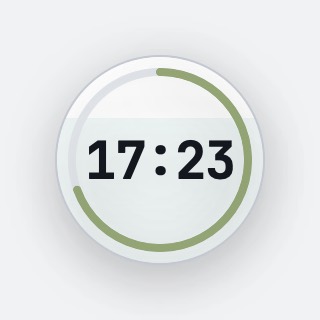
On iPhone: one screen, nothing to navigate
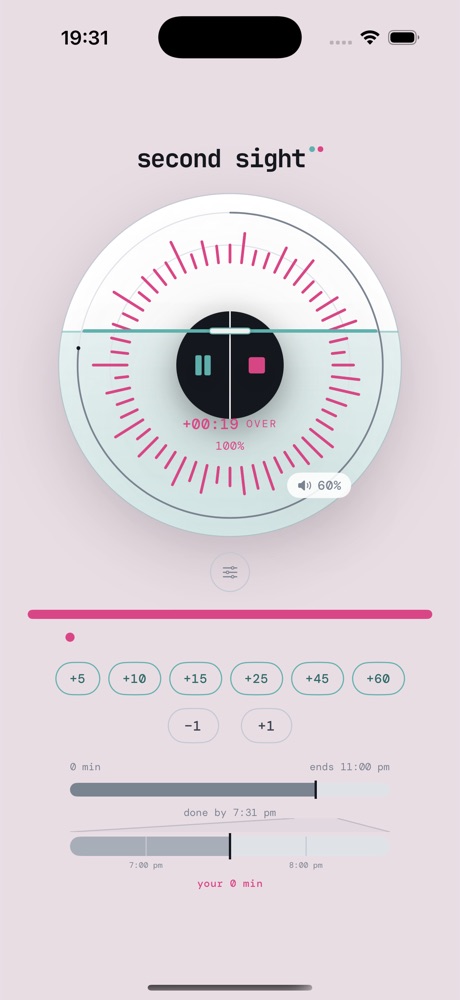
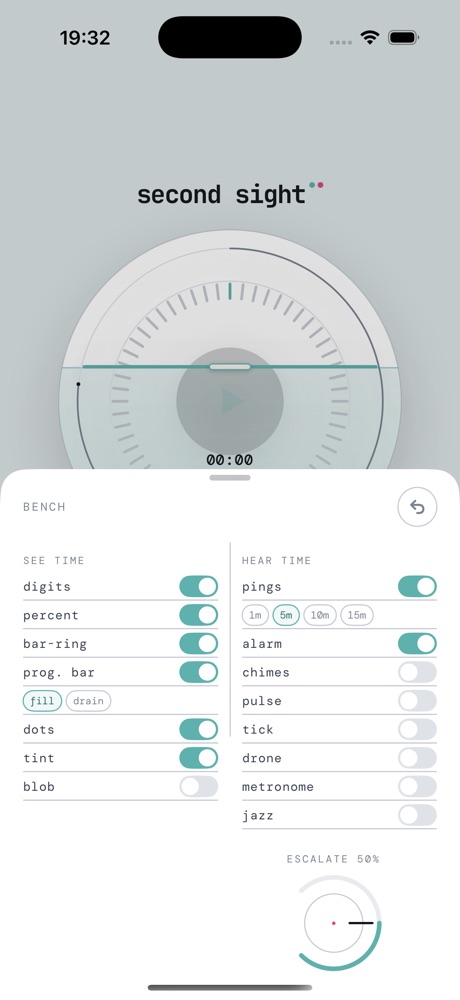
see time · ten
- Big digitsplain and large
- Percentone number
- Depleting ringticks emptying
- Progress barfill or drain
- Minute dotsone dot per minute
- Ambient tintscreen drifts colour
- Shrinking shapegets smaller
- Your whole daywith a zoom-in
- Menu-bar metermac
- Floating coinmac · always on top
hear time · nine
- End soundsoft landing or alarm
- Harmonic dispersionone tone widens
- Phase shifttwo copies drift, rejoin at zero
- Interval pings1 · 5 · 10 · 15 min
- Milestone chimes25 · 50 · 75 · 100%
- Final-minute pulsepitch steps down
- Pulse bed0.5 · 1 · 2 a second
- Ambient droneswells
- Noise beddeep to bright
The phase-shift mode is lifted directly from Reich's phase pieces, which are in room 08: two copies of the same figure, one drifting against the other, rejoining at zero.
What lands next in the timer
free updates · no dates, because they are not known
§ 03 · unmade
the objects
coming soon · no link, no price
Six pieces of a chronoscape, none of them made yet. Each measures an interval by a sense other than reading. They are listed here so the range is legible, and there is nothing on this page that takes money for an object that does not exist.
an incense clock
Duration by scent, moving through three registers, after the incense seals described in the reading79.
coming soon
a light clock
A room whose light warms across ninety minutes, so the interval is read off the walls.
coming soon
a tape and loop piece
One composition playing slower on every pass, so the count is carried by the medium itself.
coming soon
a tessera wall clock
The mosaic as an object on a wall: one tile filling for each unit, at whatever size the wall allows.
coming soon
a browser extension
The same reading of a duration, in the tab you are looking at.
coming soon
glance surfaces
A running interval on the lock screen and the watch face, with nothing to open.
coming soon
§ 04 · unmade
merchandise
coming soon · no link, no price
Printed and worn things, on the same terms as the objects. Each one carries a piece of the argument rather than a slogan, and none of them is necessary to any of it.
an hour, printed
The sixty-tile hour from the front page, screenprinted at A2 in the two accent inks on cool paper stock.
coming soon
the timeline, printed
Shadow clock to caesium standard, the whole of fig. 02 from the museum, printed long and narrow for a corridor.
coming soon
a duration notebook
Ruled in tessera rows rather than lines, so a page is planned in lengths before anything is given a time.
coming soon
the tessera mark, in enamel
The single accent square from the top right of every icon in the house, at pin size.
coming soon
a wordmark shirt
One lowercase word across the chest, with the hinge in the middle set in the accent hue. Slate ground or paper ground.
coming soon
a marked candle
Scored across at the quarter hours, so the free suggestion at the top of this page comes ready-divided. Draughts still apply.
coming soon
Nothing in this section can be bought, reserved or waited for. When one of them exists it will get a price and a way to pay for it, and until then it is a note. The source for the timer sits under the PolyForm Noncommercial licence, so you can read exactly what runs it.
What a chronoscape is
Defined once, in plain words, on the page the rest of the site refers back to.
Why any of this
Room 06: interval timing, attention and arousal, ADHD, circadian drift.
The objection
What is being claimed on this site, and what is not.